


textPlus: Text Message + Call
4.199.86K Reviews
App Specs
- Version
- 8.3.6
- Updated On
- License
- Free
- Downloads
- 50,000,000+
- Developer
- textPlus
- Categories
- Social
- Platform
- Android, iOS
Screenshots

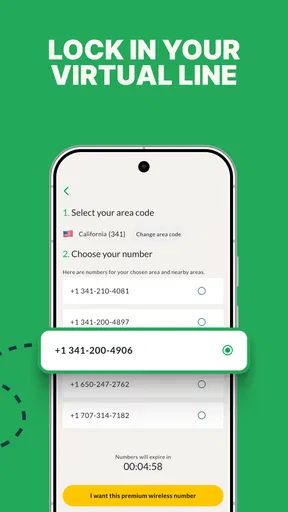

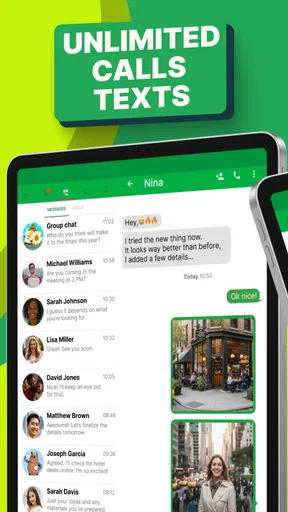
 Analysis by AppCompare
I like the idea of separating everyday conversations from the number I give to everyone. That is the practical appeal of textPlus: Text Message + Call: it gives you a way to keep a second line for calls and texts without immediately taking on the cost of another traditional phone plan. It is a social app from textPlus, and I see it as a focused communications tool rather than a replacement for every feature in a full mobile service.
A second number changes how I share contact details
A spare number can be useful for more than work. I might use it when signing up for local activities, arranging a sale with someone I do not know, or sharing contact details with a group I will only be in touch with briefly. Keeping those conversations on a separate line makes it easier to manage boundaries: I can give out the app number without handing over my primary number every time.
That separation is helpful, but it is not the same as anonymity. A second number is still a contact method, and I would not treat it as a substitute for careful judgment about who I message. I would also tell important contacts which line I am using, so they do not mistake an unfamiliar number for spam or miss a reply in the wrong inbox.
Guides and Analysis on textPlus: Text Message + Call
Use the number where it solves a real problem
The strongest reason to try this app is having a distinct line for ordinary communication. If I am coordinating a short-term project, for example, I can give that group the secondary number and keep the project’s messages separate from family conversations. When the work winds down, I can stop using that line for new exchanges instead of having shared my everyday number with everyone involved.
For a realistic day-to-day example, imagine arranging a weekend pickup with a buyer from a local marketplace. The app number gives you another way to coordinate the time and answer a call without immediately sharing your main contact. I would still avoid sending sensitive information through casual conversations, and I would keep any essential appointment details somewhere reliable rather than trusting a message thread alone.
Know what kind of calling you need
There is an important distinction between calling another person who uses the app and calling a regular phone number. The former is the straightforward fit for app-to-app conversations; reaching ordinary numbers can involve credits. That makes textPlus more appealing when your contacts are willing to use the same service or when your paid calls are occasional, rather than when you expect to replace a conventional calling plan for frequent calls to any number.
I would check the current calling and credit options in the app before relying on it for a particular destination. The app includes in-app purchases, with individual items ranging from $0.99 to $44.99, so the word “free” should not be read as meaning every possible call or add-on has no cost. A sensible approach is to use the free parts for the conversations they suit and decide whether paid credits are worthwhile only after you know how often you will need them.
Worth Reading Before You Choose

Ludo King Makes the Most of the Minutes Between Plans

Baby Panda World Brings Quick Play to Modern Phones, but Its Game Library Feels Busy

ESPN’s Live Game View Makes Following Close Games Easier

QuizzLand Review: A Good Fit for Short Trivia Breaks, Not Every Player

Basketball Stars: Multiplayer Is Fast, but Can It Recover When Matches Go Wrong?

WEBTOON Turns Phone Updates Into a Better Reading Routine
How it compares with familiar messaging choices
Compared with a standard texting app tied to your main mobile number, textPlus is useful when the separate number matters more than keeping everything in one inbox. Compared with a messaging service that requires both people to use the same app, its second-line purpose is the more distinctive reason to consider it. The trade-off is that people may need to learn which number to contact, and app-based calling is not automatically the same as having a second carrier line.
If nearly everyone you talk to already uses a single messaging platform, staying there may be simpler. If your priority is dependable service across all destinations, or you need one number to serve as your only contact for important calls, I would compare conventional mobile options before switching. textPlus makes more sense as a practical extra channel than as a universal answer to every communication need.
Getting Started with textPlus
First off, downloading the app is a breeze. It’s available for both Android and iOS, so no one’s left out. Once you’ve got it on your phone, the setup is straightforward. You just need to create an account, which is as simple as pie—just your usual email or phone number, and you’re in.
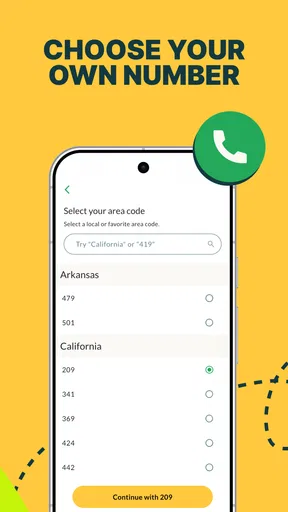
What’s cool is that textPlus gives you a free phone number. Yeah, you heard that right! A legit phone number that you can use for texting and calling. This is particularly handy if you need a second line for work or just want to keep your personal number private.
The Messaging Experience
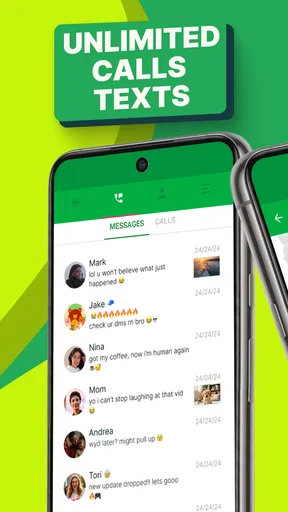
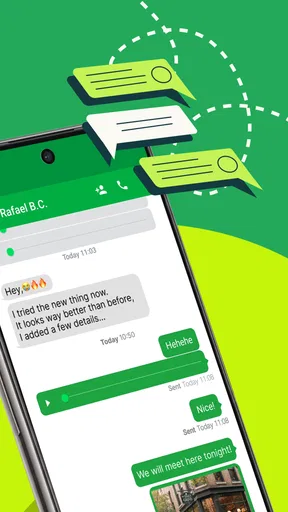
The texting feature is where textPlus: Text Message + Call shines. You can send unlimited texts to anyone in the US and Canada for free. The interface is user-friendly, almost like your regular text messaging app, so you won’t feel like you’re in unfamiliar territory.
One nifty feature is the group texting. It’s seamless, and I’ve had no issues chatting with multiple friends at once. Perfect for planning that weekend getaway or just keeping the banter going.
For a group thread to stay useful, I find it helps to agree on one place for decisions: keep casual back-and-forth in the chat, but restate the final time and meeting point clearly when plans change. That small habit matters in any messaging app, yet it is especially useful when people are juggling a second number alongside their usual texts. It prevents a useful thread from becoming a confusing mix of old and new arrangements.
Calling with textPlus
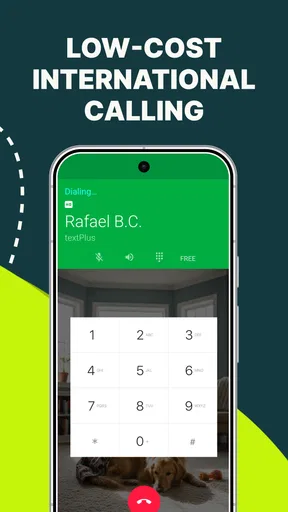
Now, onto the calling feature. You can make free calls to anyone who’s also using the app, which is awesome if your buddy circle is on board. For calls to regular phone numbers, you’ll need to buy credits. But here’s the kicker: they’re pretty affordable compared to regular phone plans. It’s a lifesaver if you’re trying to cut down on your phone bill.
The call quality is decent—clear and without much lag. I’ve had a few hiccups here and there, but nothing too drastic. It’s definitely reliable for everyday use.
I would treat that experience as a reason to test the app with low-stakes conversations first, not as a guarantee that every call will sound identical. If a conversation is time-sensitive, I would have a backup way to reach the person, particularly when the other person is not already using the app. This is a sensible trade-off for an internet-based calling option: convenience can be good, while the quality of a particular call still depends on the connection and situation.
Features Worth Mentioning
The small settings choices can make a secondary line easier to live with. I would tune notifications so messages from this number do not get lost among alerts from my main line, while also avoiding an alert for every busy group exchange. If I use the number for a temporary project, I would name or otherwise organize that conversation clearly in my own routine, so I can tell at a glance which line a contact expects me to answer.
- Customizable Notifications: You can tweak your notification settings to fit your style. Whether you want to keep it subtle or go all out with alerts, it’s up to you.
- Ad-Free Option: If you’re not a fan of ads, there’s an option to go ad-free with a subscription. It’s a nice touch for those who prefer an uninterrupted experience.
- International Capabilities: The app allows for international texting and calling, but you’ll need to purchase credits for that. It’s still a cheaper option compared to traditional methods.
Those paid choices are worth weighing against how you actually use the app. If your main purpose is occasional texting and app-to-app calls, paying for extras may not be necessary. If you plan to make regular calls to ordinary numbers or contact people internationally, check the relevant credit costs first and compare them with your current plan. That keeps a low-cost second line from turning into an expense you did not expect.
Who will get the most from a second line
I think the best fit is someone who has a clear reason to keep contact details separate: a freelancer handling non-urgent client conversations, a person coordinating a temporary community activity, or anyone who wants a distinct number for casual exchanges. It can also suit someone whose friends are happy to call through the app, since that makes the calling side more useful without relying on paid calls to regular numbers.
I would not choose it as my only communication option if I needed every call to reach every kind of number, or if I could not afford a missed message while managing two inboxes. Someone who already has a second SIM or a work-provided line may find that simpler, especially if they want carrier service and familiar phone integration. The best choice depends on whether the separation is worth the extra app and account to maintain.
Availability, cost and expectations
The app is free to install, is rated for Everyone, and its current version is 8.3.2, with Android 7.0 as the minimum operating-system requirement. It has a 4.1 average from around 546,000 ratings, alongside roughly 101,000 written reviews, and has passed 50 million installs. Those figures suggest it has reached a large audience, but they do not tell me whether it will fit a particular person’s habits; the useful test is whether the second number solves a real problem in your own routine.
Because textPlus is a social communications app, I would also think about how I want to manage its notifications and which contacts I share the number with. A separate line can reduce how widely your main number circulates, but it does not remove the need to choose contacts thoughtfully. If you only want a backup channel for a few conversations, try that narrow use first before moving important, everyday communication over to it.
Final Thoughts
In the sea of messaging apps, textPlus: Text Message + Call stands out as a practical, cost-effective solution. It’s not just about saving money; it’s about having the freedom to communicate without restrictions. If you’re someone who’s tired of hefty phone bills or just need a secondary line, this app is definitely worth a shot.
It’s not perfect, but it’s pretty darn close for what it offers. The convenience of a free phone number and the ability to text and call without breaking the bank is a win in my book. So, if you’re curious, give it a download and see how it fits into your communication routine.
My recommendation is to start with one clear purpose for the number, such as separating a short-term project from personal conversations. That makes it easier to judge whether the extra inbox is genuinely convenient, and whether the calling options match the people you need to reach. For me, textPlus is most convincing as a flexible second channel—not a blanket replacement for the phone service and messaging habits I already depend on.
Pros
- Free messaging and calls to the U.S. and Canada.
- Customizable phone numbers for privacy.
- Supports group messaging with ease.
- Simple and user-friendly interface.
- Low-cost international calls available.
Cons
- Contains ads that can be intrusive.
- Limited features without subscription.
- Requires internet for all functions.
- Some users report call quality issues.
- Privacy concerns with data handling.
FAQs for textPlus: Text Message + Call
What is textPlus and how does it work?
textPlus is a communication app that allows users to send and receive text messages and make calls through Wi-Fi or data connections. It provides a free U.S. phone number, enabling users to stay connected without a traditional phone plan. The app is popular for its cost-effectiveness and ease of use.
Is textPlus free to use, and are there any hidden charges?
textPlus offers free texting to any U.S. or Canadian number and free incoming calls. While the basic services are free, there are premium features like ad removal and international calling that require in-app purchases. Users should review these options to avoid unexpected charges.
Can I use textPlus for international calls and messages?
Yes, textPlus allows international calling and messaging, but these services are not free. Users need to purchase credits or subscribe to a plan for international communication. Rates vary by country, so it’s advisable to check the app for specific pricing before making international calls.
Is textPlus secure for sending messages and making calls?
textPlus employs standard encryption protocols to ensure that your messages and calls are secure. However, like any app, users should be cautious and avoid sharing sensitive information through the platform. Keeping the app updated also helps maintain security standards.
Can I keep my existing number when using textPlus?
No, textPlus assigns a new U.S. phone number for use within the app. It doesn’t support number porting from other carriers. This number can be used for texting and calling within the app, but you’ll need to notify your contacts of the new number for communication.


